
🎮 Battletoads - Functional Testing (PC Game Pass)
🧾 About this work
- Author: Kelina Cowell - Junior QA Tester (Games)
- Context: Self-directed manual QA portfolio project
- Timebox: 1 week (27 Oct–1 Nov 2025)
- Platform: PC (Xbox Game Pass) • Windows 11
- Focus: Functional testing of core gameplay flows and input ownership
Introduction
One-week functional test pass on Battletoads (PC Game Pass, Win11 @1080p/144Hz) focused on core gameplay flows and input ownership. I built a compact suite, captured short evidence clips, and logged four reproducible defects with clear Jira tickets.
- Scope: start → first control, Pause/Resume, keyboard ↔ controller hand-off, local co-op join/leave, HUD/readability, respawn & checkpoints, Game Over flow, and stability/performance sanity.
- Approach: before running the detailed test cases, I started each session with a quick smoke pass (launch → main menu → start Level 1 → open/close Pause & Settings → clean exit) to make sure the build was stable enough to test.
- Outcome: 4 input-ownership issues with 100% repro, each with a 10–30s video thumbnail below.
- Evidence: comparison snapshots, bugs table with YouTube thumbnails, and Jira board screenshots.
Accessibility note: readability observations include a dyslexic tester perspective.
| Studio | Platform | Scope |
|---|---|---|
| Dlala Studios / Rare | PC (Game Pass) | Gameplay logic • UI • Audio • Performance |
🎯 Goal
Demonstrate core QA fundamentals by validating key gameplay flows and documenting reproducible defects with clear severity and repro steps.
🧭 Focus Areas
- Gameplay logic
- UI / navigation
- Input & controller
- Audio
- Performance
📄 Deliverables
- Test plan (Google Sheets)
- Bug report (PDF)
- Evidence videos (YouTube)
- Jira workflow / board screenshots
- STAR summary
📊 Metrics
| Metric | Value |
|---|---|
| Total Bugs Logged | 4 |
| High | 4 |
| Medium | 0 |
| Low | 0 |
| Test Runs Executed | 18 |
| Repro Consistency | 100% (across 4 issues) |
⭐ STAR SUMMARY – Battletoads QA (PC Game Pass)
Situation: One-week functional test of Battletoads on Win11, Game Pass build 1.1F.42718, 1920×1080@144Hz, Diswoe X360 controller (Xbox-compatible mapping) + keyboard.
Task: Validate core gameplay logic, UI flow, input handling (keyboard/controller focus), audio cues, and basic performance.
Action: Built a test plan, executed the suite daily, captured repro video with Xbox Game Bar/OBS, and logged defects in Jira with clear titles, steps, and evidence.
Result: All four issues were fully reproducible, with clear evidence clips for each.
📖 Sources & oracles used
- In-game control bindings and settings menus (PC Game Pass build)
- Observed gameplay behaviour during live test runs
- Xbox controller input conventions on Windows
- Game UI expectations based on comparable titles in the same genre
- Accessibility heuristics for readability and focus (non-colour cues, spatial grouping)
📚 JIRA Courses & Application
Before this project I’d only raised two bug tickets during a Game Academy Bootcamp (Sep 2025 cohort), so I completed two beginner Jira courses to get up to speed. They gave me the foundations to set up a clean board, define issue types and workflows, and attach clear evidence so every ticket was self-contained and easy to review.
- Intro to JIRA (Simplilearn): Set up a clean board and project from scratch, defined issue types, and used attachments/comments for evidence (short clips + screenshots). This kept every defect self-contained and easy to triage.
- Get Started with Jira (Coursera): Built a Kanban workflow with clear transitions (To Do → In Progress → Blocked → Verified), added simple WIP limits, and used labels (e.g.,
pc-gamepass,test-execution) so the board stayed filterable during runs.
Practice in this project
- Created issues directly from test runs, attaching repro clips and exact steps.
- Used Blocked to surface input-ownership problems quickly, then moved to Verified with video proof after re-test.
- Maintained short, consistent titles so tickets were scannable on the board and in the README.
🎓 Certificates
| Certificate | Provider | Issued | Evidence |
|---|---|---|---|
| Introduction to JIRA | Simplilearn | 2025 |

|
| Get Started with JIRA | Coursera | 2025 |

|
📷 Evidence & Media
These links are the complete artefacts for this project. They contain:
- Overview
- Test cases & test runs
- Observations
- STAR summary & metrics
- Glossary
| Type | File / Link |
|---|---|
| QA Workbook (Google Sheets) | Open Workbook |
| QA Workbook (PDF Export) | Battletoads_QA_Functional_TestPlan_PCGamePass_Kelina_Cowell_PORTFOLIO.pdf |
🧪 Core Project Findings - Test Cases & Bugs
Executed test cases and logged 4 High-severity input-ownership defects, all consistently reproducible. Evidence below: Jira board, verified thumbnails, and bug table with video links.
📁 Jira Board Screenshot - Overview

🗂️ Jira Board — Verified Screenshots (thumbnails)

|

|

|

|
Click any thumbnail to view the full-size image.
🐞 Bugs - Summary + Videos
| ID | Title | Sev | Repro | Video |
|---|---|---|---|---|
| 01 | [PC][UI][Pause] Esc key does not open Pause menu when controller is connected | High | 5/5 | 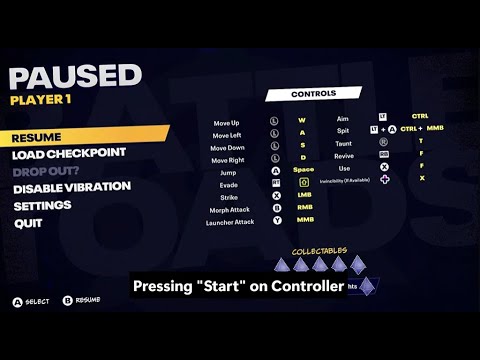 |
| 02 | [PC][UI][Pause] Keyboard navigation ignored on Pause menu when controller is active | High | 5/5 | 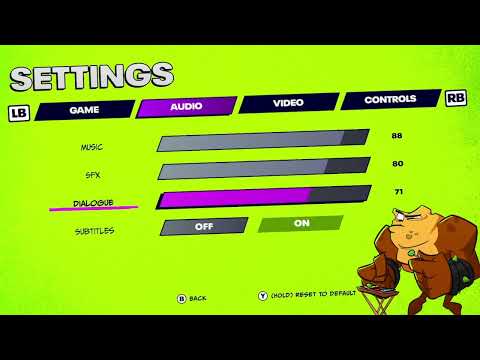 |
| 03 | [PC][Input][Pause] Inconsistent keyboard/controller hand-off on Pause menu | High | 3/3 | 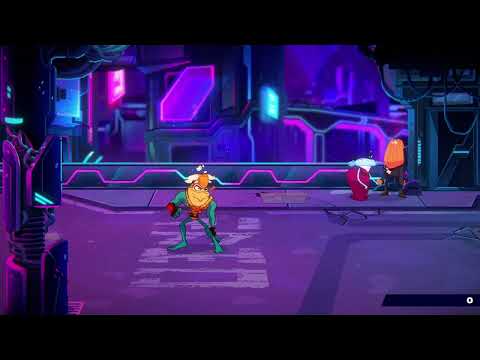 |
| 04 | [PC][Input][Join] Keyboard Enter from Pause opens Join In and disables controller input | High | 3/3 | 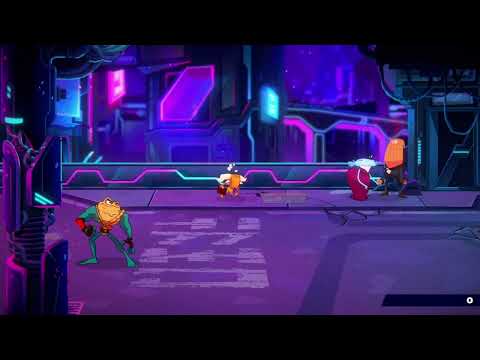 |
Show inline videos
If you’re viewing this on github.com, embeds may not display. Use the thumbnails/links above or open this page on the published site (GitHub Pages) to watch inline.
📈 Results
- Executed 18 test runs across 11 test cases; 78.00% pass rate - 14 passed, 4 failed, 0 blocked.
- 4 defects logged (High: 4, Medium: 0, Low: 0).
- Mixed-input focus: using the keyboard after the controller can leave the controller unresponsive on Join In and Pause. Evidence:
RUN-20251101-004(TC-008 — Fail). - Pause keyboard parity: with a controller connected, the Pause menu ignores keyboard navigation and confirm keys (↑/↓/Enter/Esc), even though Esc/Enter are bound in the Controls menu. Evidence:
RUN-20251027-006,RUN-20251030-001(both TC-006 — Fail). - Resume misroute: pressing Enter on Resume can open the Join overlay instead of returning to gameplay. Evidence:
RUN-20251030-001(TC-006 — Fail). - Performance: baseline ~140–144 FPS; >40 ms spikes: 0. Evidence:
RUN-20251029-001,RUN-20251029-002.
See Metrics above for the full table and run references.
🤝 Networking & Applied Insight
During this project I sought targeted guidance from QA leaders and put it into practice. Following advice from Radu Posoi (Founder, Alkotech Labs; ex-Ubisoft QA Lead), I compared same-developer and same-genre titles, capturing what happened and why it matters for the player. Donna Chin (QA Engineer, Peacock/NBCU) urged me to train my eye for accessibility issues in client UI. I incorporated both recommendations into the study criteria. I ran this comparative review in addition to the main Battletoads testing and converted the notes into measurable player-impact metrics - summarised in the table below - to prioritise issues and produce clearer bug reports.
➕ Add-on Study - Comparative Findings - First-Minute to Control, Pause → Back, HUD Readability
| Source | Key takeaway | How I applied it in this project | Evidence |
|---|---|---|---|
| Radu Posoi — Founder, Alkotech Labs (ex-Ubisoft QA Lead) | Be deliberate — compare same-dev and same-genre titles, and write down what happened + why it matters for the player. |
|
 Click to enlarge
|
| Donna Chin — QA Engineer, Peacock/NBCU | Train your eye for accessibility in client UI — check readability, contrast, focus order, and non-colour cues. |
|
 Click to enlarge
|
⭐ MICRO-STAR SUMMARY – Comparative Findings
Situation: Post-pass curiosity: how do similar titles handle first-minute flow, Pause→Back, and HUD readability?
Task: Benchmark Battletoads against Teenage Mutant Ninja Turtles: Shredder’s Revenge and Disney Illusion Island to highlight UX strengths/risks.
Action: Timed title→control presses; reviewed Pause→Back behaviour; captured HUD readability snapshots.
Result: Battletoads reached control fastest (4 presses) and resumed cleanly; biggest risk: HUD readability in combat.
📊 Summary Metrics (across all three tests)
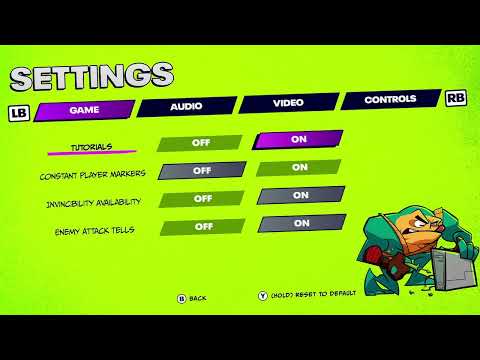
- Presses to first control (Title → Play): Battletoads: 4 • Teenage Mutant Ninja Turtles: Shredder’s Revenge: 6 • Disney Illusion Island: 13
- Pause → Back (resume control): Battletoads: immediate • Teenage Mutant Ninja Turtles: Shredder’s Revenge: immediate • Disney Illusion Island: not observed in available footage
- HUD readability (combat): Battletoads: info spread to corners • Teenage Mutant Ninja Turtles: Shredder’s Revenge: tiny unlabeled bars; pop-ups obscure UI
| Game | Timestamp | Area / Feature | What happened | Why it matters | Evidence |
|---|---|---|---|---|---|
| Battletoads | 0:07–1:12 (1:05) | Title → New Game | 4 presses to first control | Smooth first minute; low friction |
|
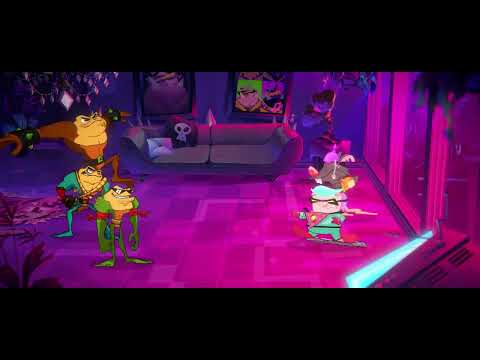
| 0:01–0:20 (0:19) | Title → Continue | 4 presses; intro dialogue skipped | Faster return-to-play; risk of missed context |
|
|
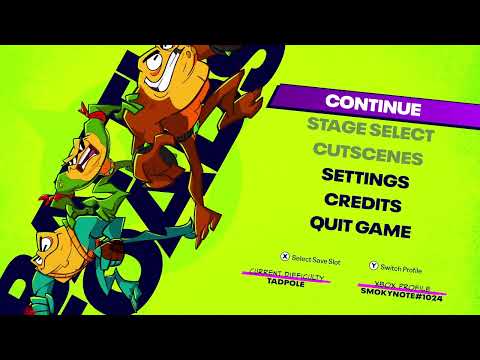
| 0:04–0:13 (0:09) | Pause → Back | Immediate control; no unintended actions | Prevents stray menu inputs |
|
|
| — | HUD readability | Info spread across corners; tracking health/rank/combo is difficult mid-fight (tester is dyslexic and dyscalculic) | Accessibility/readability risk |

|
|
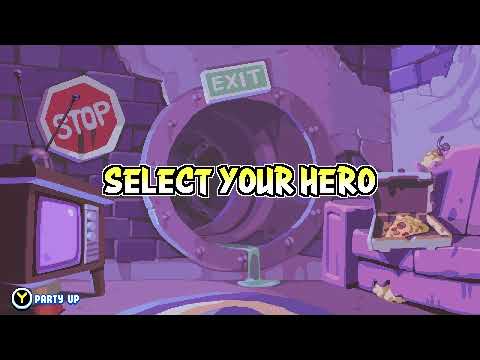
| Disney Illusion Island | 0:09–3:11 (3:02) | Title → Play | 13 presses to first control | Higher start friction than Battletoads (4) & TMNT (6) |
|
| — | Pause → Back | Not observed in available public footage (longplay/stream review) | No inference without evidence | — | |
| 3:11 | Onboarding | Just-in-time jump prompt | Clear guidance for new players |

|
|
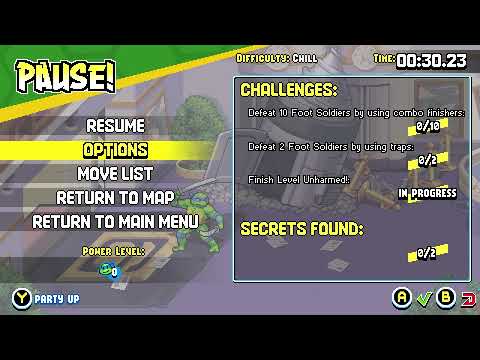
| Teenage Mutant Ninja Turtles: Shredder’s Revenge | 0:01–3:55 (3:54) | Title → Start | 6 presses to first control | Higher friction than Battletoads |
|
| 0:06–0:16 (0:10) | Pause → Back | Immediate control; no unintended actions | Consistent resume behaviour |
|
|
| — | HUD readability | Tiny blue/green unlabeled bars; score pop-ups obstruct | Readability risk in combat |

|
Method (Disney Illusion Island rows): Not hands-on — I reviewed public longplay/stream footage. Where behaviour wasn’t visible, it’s recorded as Not observed in available footage rather than guessed.
🏁 Result & takeaway
Result: Battletoads reaches first control in 4 presses (Teenage Mutant Ninja Turtles: Shredder’s Revenge 6, Disney Illusion Island 13) and resumes cleanly from Pause.
Takeaway: Battletoads was fastest to control among the three; the primary risk is HUD readability during combat.
🧩 What I learned
- Write steps so “future me” and any teammate can re-run them first try. Plain, tight repros meant I could pick the test back up days later without thinking.
- Input hand-off needs its own mini-suite. Treat keyboard↔controller focus like a feature; that’s where the bugs on this project lived.
- Short clips beat long recordings. 10–30s videos told the story quicker than paragraphs and made severity obvious.
- Baseline numbers help. “4 presses to first control” became a simple guardrail to spot regressions fast.
- Evidence where you triage. Jira thumbnails + links kept every issue self-contained and easy to review.
🔚 Conclusion
Full functional pass complete on Battletoads (PC Game Pass). I validated core flows end-to-end, stress-checked stability/performance, and documented 4 input-ownership defects with 100% repro, each backed by short videos and tidy Jira cards.
- Coverage delivered: start→first control (4-press baseline), Pause/Resume behaviour, keyboard↔controller focus/hand-off, local co-op Join/Leave, respawn & checkpoint integrity, arena-clear progression timing, audio pause/resume, HUD restoration/readability, Game Over flow, controller disconnect/reconnect, performance sanity (avg ~140 FPS; no sustained dips), and stress/transition checks.
- Highest-impact finding: Pause/Join-In hand-off issues that can confuse or block input ownership.
- Evidence maturity: Every finding has a video thumbnail in the bugs table plus clear repro steps and severity in Jira.
👤 Author
Kelina Cowell - Junior QA Tester (Games). Focused on manual testing, evidence-led bug reporting, and player-impact analysis.
Relevant training & certifications
- Introduction to Jira - Simplilearn (2025)
- Get Started with Jira - Coursera (2025)
❓ FAQ
What was the goal of this project?
To demonstrate a structured manual QA workflow, clear bug reporting, and evidence-led communication in a timeboxed solo project.
What exactly did you deliver?
A bug log with reproduction steps and expected vs actual results, supporting video/screenshot evidence, and a structured QA workbook showing coverage and outcomes.
How did you decide what to test first?
I started with start→first control and Pause/Resume flows, then prioritised keyboard↔controller hand-off scenarios once input ownership issues appeared.
Is this representative of how you would work in a team?
Yes. The workflow, artefacts, and Jira usage mirror how I would operate within a small QA team, with the difference that this project was executed solo.
How do you ensure your bugs are actionable for developers?
Each issue includes clear repro steps, expected vs actual behaviour, environment details, and evidence that shows the defect and context.
How do you handle duplicate findings or “same symptom, different cause” issues?
I group related observations, reference existing entries, and only create separate issues when the reproduction conditions or impact are clearly different.
What would you do next if this project continued?
Run a retest pass on logged issues, deepen functional coverage around input ownership scenarios, and create a small regression checklist for the highest-impact flows.
Up next: I’m moving on to an Exploratory & Edge-Case Testing project on Rebel Racing (Mobile) focused on device compatibility, input latency, UI scaling, and crash handling.
🔗 Related
Email Me Connect on LinkedIn Back to Manual Portfolio hub
📎 Disclaimer
This is a personal, non-commercial portfolio for educational and recruitment purposes. I’m not affiliated with or endorsed by any game studios or publishers. All trademarks, logos, and game assets are the property of their respective owners. Any screenshots or short clips are included solely to document testing outcomes. If anything here needs to be removed or credited differently, please contact me and I’ll update it promptly.