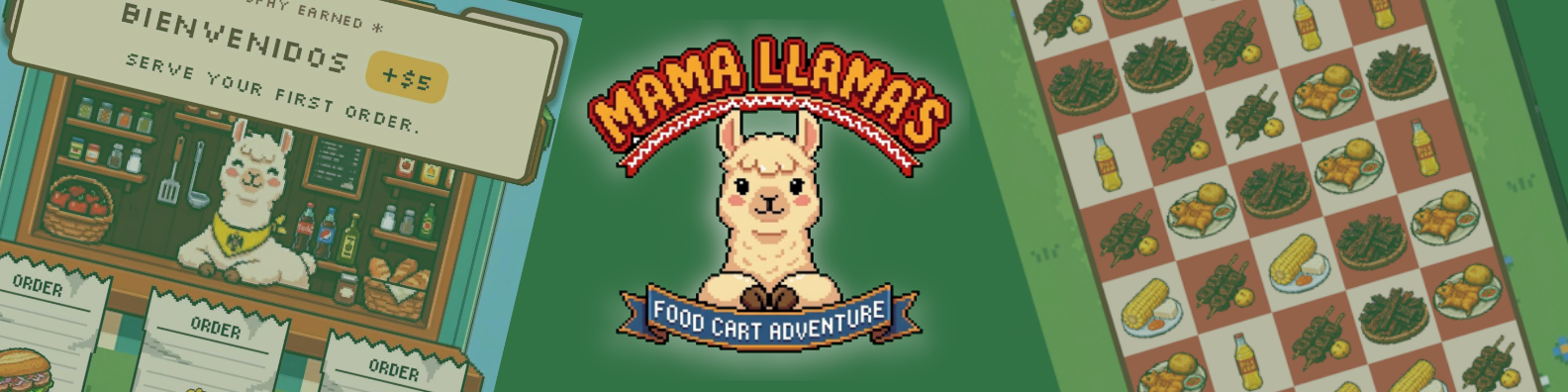
Mama Llama’s Food Cart Adventure - Embedded QA Case Study
🧾 Project Overview
- Game: Mama Llama’s Food Cart Adventure
- Studio: Loom & Lore Interactive Games
- Credited Role: Head Of QA
- Testing dates: 14-15 May 2026, followed by fix validation and regression checks
- Release date: 24 May 2026
- Platforms: PC and Google Play
🎯 My QA Role
My role was to provide structured embedded QA support during the final stage of development before release. The project was close to launch, so the focus was on identifying player-facing risks, reporting them clearly, supporting fast developer decision-making, and validating fixes before the Google Play release.
I worked directly with the solo developer through a lightweight two-person workflow. The developer continued building and updating the game, while I provided QA through private Discord channels, a shared Google Sheets workbook, daily Google Docs handovers, and linked screenshot and video evidence.
My responsibilities included release-readiness testing, mobile usability checks, onboarding and readability review, bug and UX reporting, accessibility risk observations, fix validation, and regression testing around affected systems.
Developer Feedback
“Releasing a high-quality game is vital for a new studio. Kelina made sure our Google Play Store launch for Mama Llama went smoothly. She caught critical UI/UX and code bugs before release. Her delivery was highly organized. Every report included thorough documentation, reproducible steps, and helpful screenshots. Kelina handles QA with the finesse of a master.”
🧠 Triage & Planning
- Reviewed release-readiness risks
- Prioritised first-session clarity
- Flagged mobile usability concerns
- Separated bugs from UX observations
- Planned focused regression checks
🎮 Testing Focus
- Onboarding clarity
- How To Play information
- Order and board readability
- Touch and swipe interaction
- Pressure-state feedback
🔁 Ongoing Support
- Fix validation
- Regression checks
- Release-readiness support
- Connected-system retesting
- Google Play launch support
🛠️ Workflow & Communication
Communication happened daily through private Discord channels, including QA and devlog update channels. This kept the process lightweight and suitable for a solo-dev workflow. For this project size, Jira would have added unnecessary overhead, so I used Google Sheets, Google Docs, Discord, and linked evidence instead.
The developer could review the end-of-day handover for the overall QA picture, then use the shared bug log for detailed findings, repro steps, screenshots, and linked video evidence.
| Workflow Area | How It Worked |
|---|---|
| Communication | Daily communication through private Discord channels, including QA updates and devlog context. |
| Planning | I created the QA plan using the current build state, release priorities, devlog context, and player-facing risk areas. |
| Reporting | Findings were organised in a Google Sheets workbook with charters, session logs, bug and UX logs, and linked evidence. |
| Handovers | Daily Google Docs handovers summarised what was tested, what mattered, and what needed developer attention. |
| Evidence | Gameplay evidence was captured through scrcpy and OBS, edited in Clipchamp, and shared through unlisted YouTube links. |
| Fix Validation | After updates, I retested fixes and checked connected systems for regressions. |
📱 Mobile Release-Readiness Testing
The main testing pass focused on whether Mama Llama’s Food Cart Adventure worked clearly and comfortably as a portrait-mode mobile game close to release. This included the first-session experience, the match-3 loop, customer order readability, mobile interaction, fail states, and how pressure affected player understanding.
Testing combined fresh-player exploratory QA with longer-session and pressure-state testing. I looked at whether the core loop made sense quickly, whether players could read and respond to orders under pressure, and whether frustration came from fair challenge or unclear feedback.
| Test Area | Observed Focus |
|---|---|
| Onboarding | Tutorial clarity, How To Play information, early gameplay understanding, and fail-state communication. |
| Core Gameplay | Board readability, food recognition, order clarity, match feedback, combo clarity, and special tile communication. |
| Mobile Usability | Portrait layout, one-handed play, touch input, swipe accuracy, edge interactions, and UI hierarchy. |
| Pressure States | Escalating customer pressure, recovery windows, repeated failures, low-match boards, and retry motivation. |
| Accessibility Risks | Colour contrast, warning visibility, visual fatigue, scanning load, and low-vision readability risks. |
| Fix Validation | Retesting developer changes and checking nearby systems after updates. |
⚠️ Current Player-Facing Risk Areas
The main risks identified were grouped by player impact rather than exposing the internal bug log. This kept the portfolio case study focused on QA judgement while keeping private project details protected.
| Risk Area | Player Impact |
|---|---|
| Onboarding Clarity | New players may misunderstand key actions if tutorial and How To Play information is not clear enough. |
| Mobile Readability | Food icons, customer orders, and board information need to remain readable during fast play on a portrait screen. |
| Pressure-State Feedback | Players may feel frustration if escalating pressure is not supported by clear feedback and fair recovery windows. |
| Touch Interaction | Swipe accuracy and edge interactions can affect player confidence during active gameplay. |
| Accessibility Risk | Contrast, visual fatigue, and warning visibility may create barriers for players during longer sessions. |
| Regression Risk | Late fixes can affect nearby UI, feedback, or gameplay systems if not retested before release. |
🤝 Working With the Developer
Because this was a small indie workflow, the reporting needed to be structured without becoming heavy. The goal was to give the developer clear information that could be acted on quickly.
I avoided dumping raw observations without context. Instead, I grouped findings by player impact, explained why they mattered, and separated functional issues from UX observations, accessibility risks, progression concerns, and positive validation.
This meant the developer could see not just what needed fixing, but what was working well, what was worth preserving, and where changes would have the highest release impact.
🧰 Tools & Evidence Workflow
| Tool / Method | Used For |
|---|---|
| Android Device Testing | Testing the Google Play release candidate on mobile hardware. |
| Google Sheets | QA workbook containing charters, session logs, bug and UX logs, notes, and structured tracking. |
| Google Docs | Daily QA handovers summarising what was tested, what was found, and what needed developer attention. |
| Discord | Private QA communication with the developer, including reports, updates, and handovers. |
| scrcpy | Android screen capture from the test device. |
| OBS Studio | Recording gameplay evidence during mobile testing. |
| Microsoft Clipchamp | Editing clips into shorter evidence videos for easier developer review. |
| YouTube Unlisted | Private evidence storage and easy sharing through report links. |
✅ What This Case Study Shows
- Designed a release-focused QA plan using devlog context, current build state, and release priorities.
- Provided embedded QA support directly to a solo indie developer during the final pre-release stage.
- Tested onboarding, mobile usability, readability, pressure states, accessibility risks, and player-facing friction.
- Translated gameplay observations into structured handovers with repro steps, impact notes, screenshots, and video evidence.
- Validated developer fixes and performed regression checks around affected systems after updates.
- Supported release readiness without adding unnecessary process overhead to a small-team workflow.
Need QA Support for Your Game?
If you have a demo, early build, update, or release candidate that needs structured QA support, message me with the platform, build, and what you need checked.
📎 Disclaimer
This page documents credited QA work completed by Kelina Cowell for portfolio and recruitment purposes. I am not the developer or publisher of Mama Llama’s Food Cart Adventure. All trademarks, logos, screenshots, clips, and game assets remain the property of their respective owners. Internal QA details, bug logs, and private developer communications are not published here. If anything needs to be removed or credited differently, please contact me and I’ll update it promptly.