Back to Articles Hub Game QA Portfolio
Game QA Functional Testing: The Workflow That Catches Real Bugs
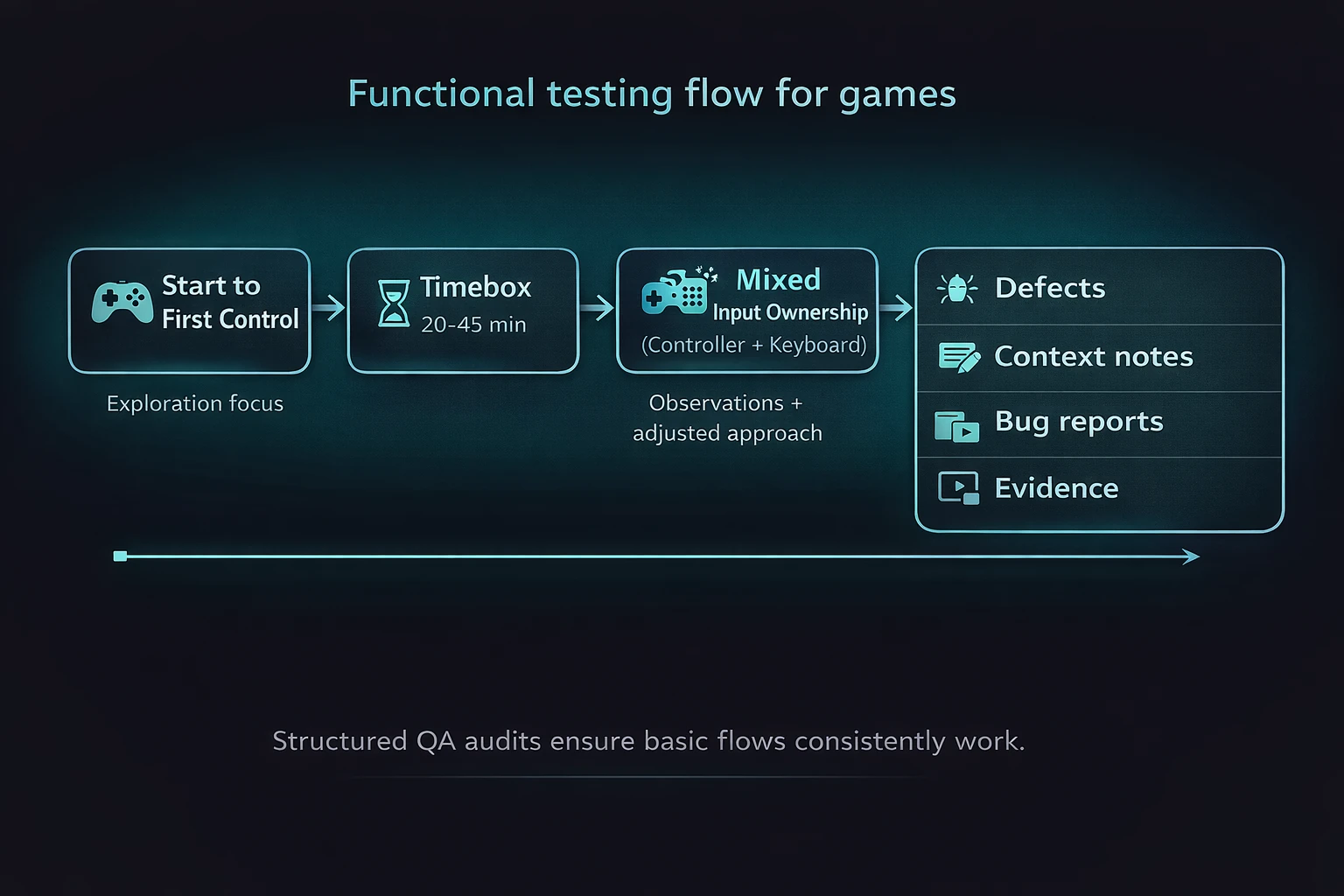
This article explains my game QA functional testing workflow for manual QA, using a real one-week solo pass on Battletoads (PC, Game Pass). It shows what I test first, why those checks matter, and how I capture evidence that turns issues into reproducible defects.
TL;DR
- What it is: a game QA functional testing workflow for timeboxed solo passes.
- Backing project: Battletoads on PC (Game Pass), one-week pass (27 Oct to 1 Nov 2025).
- Approach: validate start-to-control and Pause/Resume first, then expand where risk appears, especially around input and focus.
- Outputs: pass/fail results, reproducible bug reports, and short evidence clips supporting each finding.
Game QA functional testing workflow: context and scope
This article is based on a self-directed game QA functional testing workflow applied to a Battletoads (PC, Game Pass) case study,
build 1.1F.42718, executed within a one-week timebox. The testing focused on core functional flows,
mixed input ownership (controller and keyboard), and capturing short evidence clips to support reproducible bug reports.
What functional testing is in game QA
In game QA functional testing, the goal is simple: does the game do what it claims to do, end-to-end, without excuses or interpretation? I validate core flows, confirm expected behaviour, and write issues so a developer can reproduce them without guessing.
The mistake is treating functional testing as “easy” and therefore less valuable. In reality, functional testing in game QA is the foundation. If the foundation is cracked, everything built on top of it fails in more complicated ways.
Functional testing outputs in QA: pass/fail results with evidence
Clear outcomes: pass or fail, backed by evidence and reproducible steps. Not vibes. Not opinions.
Game QA functional testing: the first flows I verify
-
Start to first control
In game QA functional testing, the first minute determines whether the game feels broken. If “New Game” does not reliably get you playing, nothing else matters. In Battletoads, I validate this from Title into Level 1 and through the first arena transition before expanding scope. -
Pause and Resume
Pause stresses state, focus, input context, UI navigation and overlays. If Pause is unstable, you get a stream of defects that look random but are not. In Battletoads (PC), this surfaced early as keyboard and controller routing issues around Pause and Join In.
Input ownership testing in game QA (controller + keyboard)
In game QA functional testing, mixed input is a feature, not an edge case. When a controller is connected and a keyboard is used, behaviour must remain predictable across both input methods.
- Pause must open consistently.
- Navigation must respect the active input method.
- Confirm and back must not silently stop responding.
- Input hand-off must not route to the wrong UI or disable controls.
I treat controller and keyboard input hand-off as a dedicated test area because it produces high-impact, easily reproducible bugs. In this Battletoads PC case study, mixed input could misroute actions (for example, Resume opening Join In) and temporarily break controller response.
Common game QA bug: controller and keyboard input causes menu focus issues
Controller connected plus keyboard input plus menu open equals focus bugs. Easy to reproduce. Easy to prove. Easy to fix once isolated.
Bug evidence in QA: how I capture reproducible bugs
In game QA functional testing, I favour short video clips (10 to 30 seconds) and only use screenshots when they add clarity. The goal is to make bugs obvious without forcing someone to scrub a long recording.
- Video: shows timing, input, and incorrect outcome together.
- Screenshot: supports UI state, text, or configuration.
- Environment: platform, build/version, input device, display mode.
If the evidence cannot answer what was pressed, what happened, and what should have happened, it is not useful for a reproducible bug report.
Game QA testing workflow: how I timebox a one-week pass
- Day 1: Smoke testing and baseline flow validation.
- Days 2 to 4: Execute test runs, expand where risk appears, log bugs immediately.
- Days 5 to 6: Retest, tighten repro steps, confirm consistency.
- Day 7: Summarise outcomes and document findings.
Practical QA workflow note: I start each session with a short baseline loop (load, gain control, Pause, resume) before deeper checks. It catches obvious breakage early and prevents wasted time.
Testing oracles in game QA functional testing
- In-game UI and outcomes: observable behaviour of core flows (control, progression, Pause/Resume).
- Controls menu bindings: used as a testing oracle for expected input behaviour (for example, Esc and Enter bindings).
- Consistency across repeated runs: behaviour confirmed through reruns to rule out one-off issues and ensure reproducible bugs.
Game QA functional testing examples (Battletoads PC case study)
Example game QA bug: mixed input misroutes Pause and overlays
In this game QA functional testing case study, with a controller connected on PC, Pause opened and closed reliably via controller Start. Keyboard interaction on Pause could be ignored or misrouted into Join In, and in one observed case the controller became unresponsive until the overlay was closed. Short evidence clips were captured to show input, timing, and outcome together, making the bug reproducible.
QA micro-charter: mixed input ownership testing (controller + keyboard)
Charter: Mixed input ownership around Pause and overlays (controller plus keyboard).
Goal: Confirm predictable focus, navigation, and confirm/back actions under common PC setups,
with a focus on identifying reproducible input bugs.
Game QA functional testing takeaways
- Game QA functional testing finds high-impact bugs early because it targets the systems everything else relies on.
- Pause and overlays are reliable bug generators because they stress state, input routing, and UI focus.
- On PC, controller and keyboard input testing should be treated as a primary scenario, not an edge case.
- Short evidence clips make bugs easier to reproduce and speed up QA triage.
- Repeating the same steps is how “random” issues become reproducible bug patterns.
Game QA functional testing FAQ
Is functional testing in game QA just basic or beginner testing?
No. In game QA, functional testing validates the core systems everything else depends on. When it’s done poorly, teams chase “random” bugs that are actually foundational failures.
Does functional testing only check happy paths?
No. Functional testing starts with happy paths, but expands wherever risk appears. Input handling, Pause/Resume, and state transitions are common sources of bugs.
How is functional testing different from regression testing in QA?
Functional testing checks that features work correctly end-to-end. Regression testing verifies that previously working features still work after changes. They overlap, but they answer different QA questions.
Is functional testing still relevant if automation exists?
Yes. Automated tests rely on a correct understanding of expected behaviour. Functional testing defines that baseline and finds bugs automation often misses.
What makes a good bug report in game QA?
A good QA bug report includes clear steps to reproduce, expected and actual results, and short evidence showing input, timing, and outcome together so the bug is reproducible.
Game QA case study and testing evidence
- Battletoads PC game QA functional testing case study (full QA artefacts and bug evidence)
- QA Chronicles Issue 1: Battletoads (game QA bug breakdown)
This article focuses on the game QA functional testing workflow. The linked case study expands into full QA artefacts, test runs, and reproducible bug evidence.
Contact me about Game QA testing Connect on LinkedIn (Game QA) Back to QA Articles