Back to Articles Hub Game QA Portfolio
Game QA Accessibility Testing: Why a Game Feels Hard Without Being Broken
A game QA testing example exploring accessibility, cognitive load, UI clarity, and player-facing friction under pressure.
This article is a game accessibility testing example based on my early build QA pass on The Chef’s Shift (PC, v0.1.2a). It shows how player struggle is not always a skill issue, and how UI clarity, cognitive load, multitasking, and prompt visibility can make a game feel difficult even when the underlying system still works.
TL;DR
- Point: not every player struggle is a bug or a skill issue in game QA testing.
- Example context: The Chef’s Shift (PC), tested in a 2-day early build QA testing pass across 8 sessions.
- Main example: CHEF-2 showed how poor UI clarity and prompt visibility made an interaction feel harder without system failure.
- QA value: game accessibility testing helps separate real system issues from cognitive load and player experience friction.
- Takeaway: difficulty is not good design if the player is fighting UI communication and usability issues instead of challenge.
Project Context: Game QA Testing Case Study
This article is based on a game QA testing case study from a self-directed portfolio pass on The Chef’s Shift (PC, v0.1.2a), completed as a 2-day early build QA testing pass. Scope included core loop stability, input handling, serving flow, recovery, and accessibility-related pressure points. This was not a full accessibility audit, but a realistic QA pass combining game accessibility testing, UI clarity analysis, and cognitive load evaluation to understand how readability, typing speed, and multitasking pressure affect player-facing friction and perceived difficulty.
Why a Game Can Feel Hard Without Being Broken
One of the most common mistakes in game QA testing is assuming that if a player struggles, the problem is skill.
Sometimes that is true.
But sometimes the game is not hard. It is just unclear.
In game accessibility testing, this distinction matters. Poor UI clarity, communication, and cognitive load can make a game feel difficult even when the underlying system is functioning correctly.
Core idea: Difficulty vs UI clarity in game design
Difficulty is not the same as good design. If the player fails because the game communicates poorly, that is not challenge. It is player-facing friction caused by usability issues.
Why this matters in early build game QA testing
In early build game QA testing, it is easy to misread player behaviour.
You see hesitation, mistakes, or slow performance and assume:
- The player needs practice
- The mechanic is intentionally demanding
- The difficulty curve is working
But in a typing-based game like The Chef’s Shift, performance is heavily influenced by UI clarity, cognitive load, and information recognition speed.
- How clearly prompts are presented
- How quickly information can be recognised
- How much the player has to track at once
If those break down, the player looks like they are struggling, even when the system itself still works.
That matters in game QA testing because it changes the diagnosis. A rough player moment is not always proof of broken logic. Sometimes it is proof that the game is creating player experience friction through poor communication and cognitive overload.
Game QA Testing Example: CHEF-2 and UI Prompt Visibility Issues
In my early build game QA testing pass, the clearest example of “this feels harder than it should” was CHEF-2.
The oven interaction prompt was technically present. The system worked. The interaction could be completed.
But under pressure, the prompt suffered from poor UI visibility and clarity, making it difficult to see against the background during the pizza step.
The result was not a system failure. It was something more subtle:
- Delayed recognition
- Missed interactions
- Hesitation before acting
- Breaks in serving flow
From the outside, this can look like player error.
In practice, it is a UI communication and usability issue that increases cognitive load during gameplay.
Key distinction: system functionality vs UI clarity in games
The system allowed success. The UI made success harder to achieve quickly due to visibility and recognition issues.
Cognitive Load in Games: Typing Under Pressure in Game QA Testing
At low complexity, performance in The Chef’s Shift is mostly about typing accuracy.
You see the prompt, you type the word, you move on.
But as complexity increases, that changes.
In game QA testing, this is where cognitive load in gameplay becomes a key factor in player performance.
The player is no longer just typing. They are:
- Tracking multiple customers
- Managing order flow
- Watching for the next interaction prompt
- Trying not to fall behind while still typing correctly
Typing becomes one part of a larger cognitive load and multitasking problem rather than a standalone input task.
What changed in this project: cognitive load vs input accuracy
In my testing, performance shifted from input accuracy at low complexity to cognitive load, multitasking, and player experience pressure at higher complexity levels.
Multitasking, UI Clarity, and Player Experience in Games
This is where game design and game accessibility testing either support the player or work against them.
When multiple tasks are active, the player relies on fast recognition, not careful reading.
In game QA testing, this is where UI clarity and cognitive load become critical to player performance.
They need to:
- Spot the right prompt instantly
- Understand what action is required without second-guessing
- Act before another demand appears
If the UI slows that process down, even slightly, the effect compounds.
The player hesitates. They lose tempo. They start making mistakes. The game now feels harder.
But the difficulty is not necessarily coming from the mechanic itself. It is coming from the cost of understanding and processing information under pressure.
Accessibility angle: UI readability and cognitive load in games
This is where readability, prompt contrast, recognition speed, and multitasking load stop being “nice extras” and become core parts of game accessibility and player experience design.
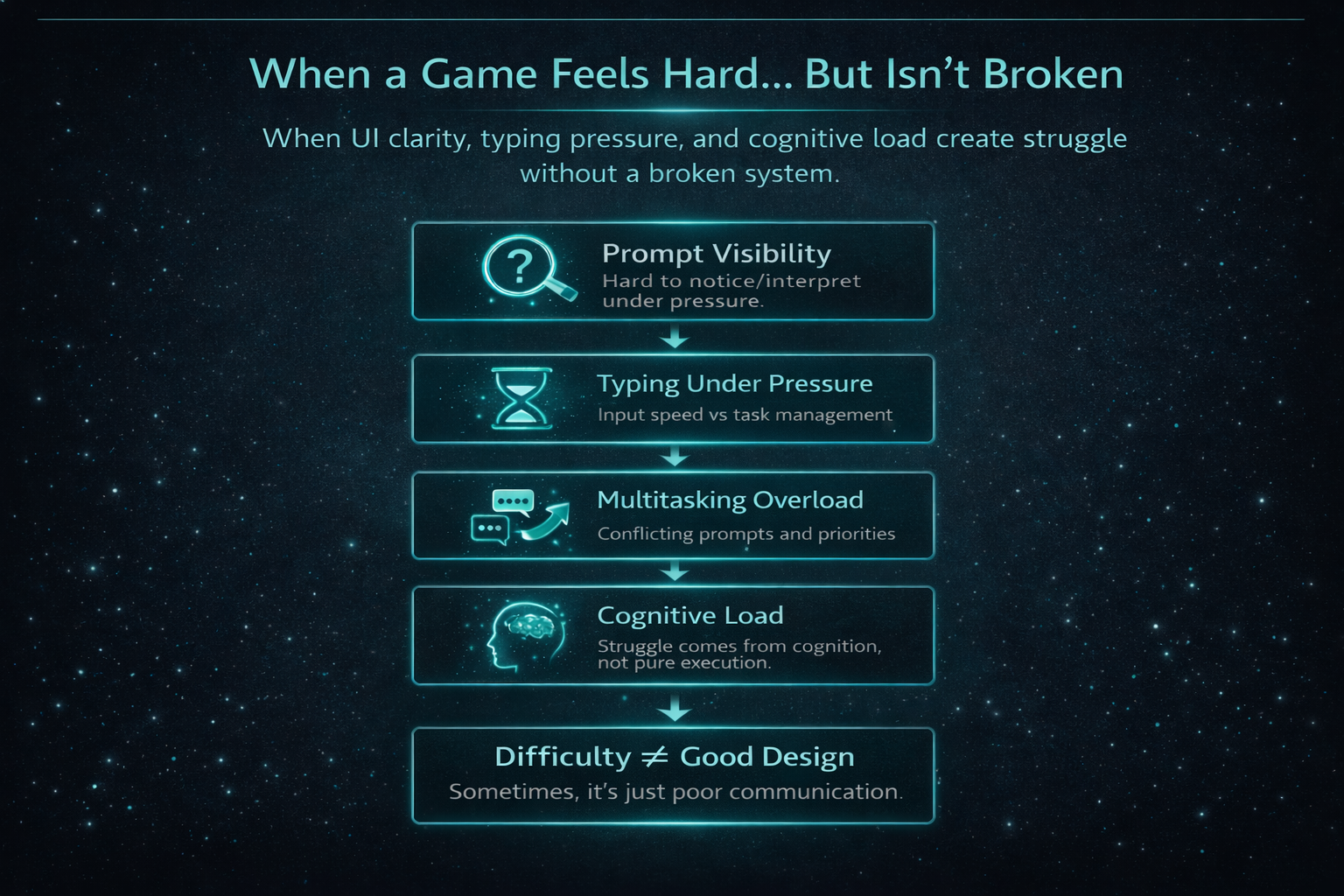
Game Difficulty vs UI Communication in Game Design
This was the core distinction that shaped how I interpreted the results of this game QA testing project.
- Real difficulty: the player understands the task, but execution is demanding
- Poor UI communication: the player struggles to understand the task quickly enough to act
Both can produce failure.
Only one reflects intended challenge.
When a player fails, the real question is not “was that hard?” It is “did they have a fair chance to understand what to do?”
This is why I do not treat every rough player moment the same way. A hard mechanic can be valid. A badly communicated one is a usability and player experience issue.
In a pressure-driven loop, poor UI clarity and communication in games can imitate difficulty so well that teams risk mistaking player friction for design strength.
What this means for game QA and accessibility testing
This is where game QA testing and accessibility testing add real value without turning every issue into a moral lecture.
The point is not to label everything as an accessibility defect.
The point is to separate:
- Systems that are breaking (functional bugs)
- Players who are being overloaded (cognitive load issues)
- Interfaces that are not communicating clearly enough (UI clarity and usability issues)
In this game QA testing case study, that distinction mattered.
CHEF-1 was a genuine system failure. It blocked progression through inconsistent payment behaviour under multi-customer conditions.
CHEF-2 was different. The system still functioned, but UI prompt visibility and clarity created friction that slowed recognition and action under pressure.
Treating both as generic bugs would miss the point. One broke the loop. The other introduced player experience friction without system failure.
Practical QA value: identifying usability vs system issues in games
In game QA testing, being able to explain why something feels hard is often more valuable than simply proving that it happens. This is especially important when distinguishing between functional bugs and usability or accessibility issues.
Game QA Takeaway: Difficulty vs Usability in Game Design
Not every difficult moment in a game reflects good design.
In game QA testing and accessibility testing, it is important to recognise when the system works, but the player is still being set up to fail.
In a typing-based, pressure-driven loop, small issues like UI clarity, prompt visibility, recognition speed, and multitasking cognitive load can shape the player experience as much as the core mechanic itself.
That is why good QA should not only ask:
- Does this work?
It should also ask:
- Can the player understand this fast enough to succeed?
Because if the answer is no, the game may feel hard without actually being broken.
And that is not meaningful challenge.
That is player-facing friction caused by usability and communication issues.
Game QA and Accessibility Testing FAQ
Is every frustrating moment in a game an accessibility issue?
No. In game QA testing, some moments are meant to be challenging. The goal is to distinguish between intended difficulty and player-facing friction caused by UI clarity or usability issues.
Can a system be functional but still create a real gameplay issue?
Yes. This is a common finding in game QA testing. In CHEF-2, the interaction worked correctly, but poor UI prompt visibility made it harder to recognise under pressure, affecting player performance.
Why does cognitive load matter in game QA testing?
Because players process multiple inputs at once. Cognitive load in games affects how quickly players can recognise prompts, make decisions, and act, which directly impacts perceived difficulty and player experience.
Is this the same as a full game accessibility audit?
No. This was an early build QA testing pass with an accessibility-informed approach, not a full audit. The goal was to identify usability, UI clarity, and cognitive load issues, not provide complete accessibility coverage.
Why not just say the player needs more practice?
Because that can hide real game design and usability issues. If the player is struggling due to poor communication or unclear UI, practice does not solve the underlying problem.
What does this show about your QA approach?
It shows an approach to game QA testing that goes beyond logging bugs. I also analyse player experience, UI clarity, and cognitive load to explain why a game feels difficult, not just whether it functions.
QA Case Study and Evidence Links
- Game QA testing case study: The Chef’s Shift (full QA artefacts and evidence)
- Game QA testing articles and accessibility case studies
This article focuses on QA analysis, accessibility testing, and player experience interpretation. The case study links out to supporting QA documentation, including workbook tabs, session logs, bug logs, Jira-style tickets, and evidence clips from real game QA testing workflows.
Email Me Connect on LinkedIn (Game QA Tester) Browse More QA Articles